On your computer.
Fictor stores your project work locally. No Fictor account, analytics, telemetry or remote licence server.
A home for the work you do with AI
Your projects. Your conversations.
Your next useful little app.
Bring your AI work together on your computer. Work with Codex and Claude Code, keep the conversation with the project, and build browser apps with a local model.
v0.2.0-alpha.5 · Free evaluation · No Fictor account
 Your workspace, on your computer Development preview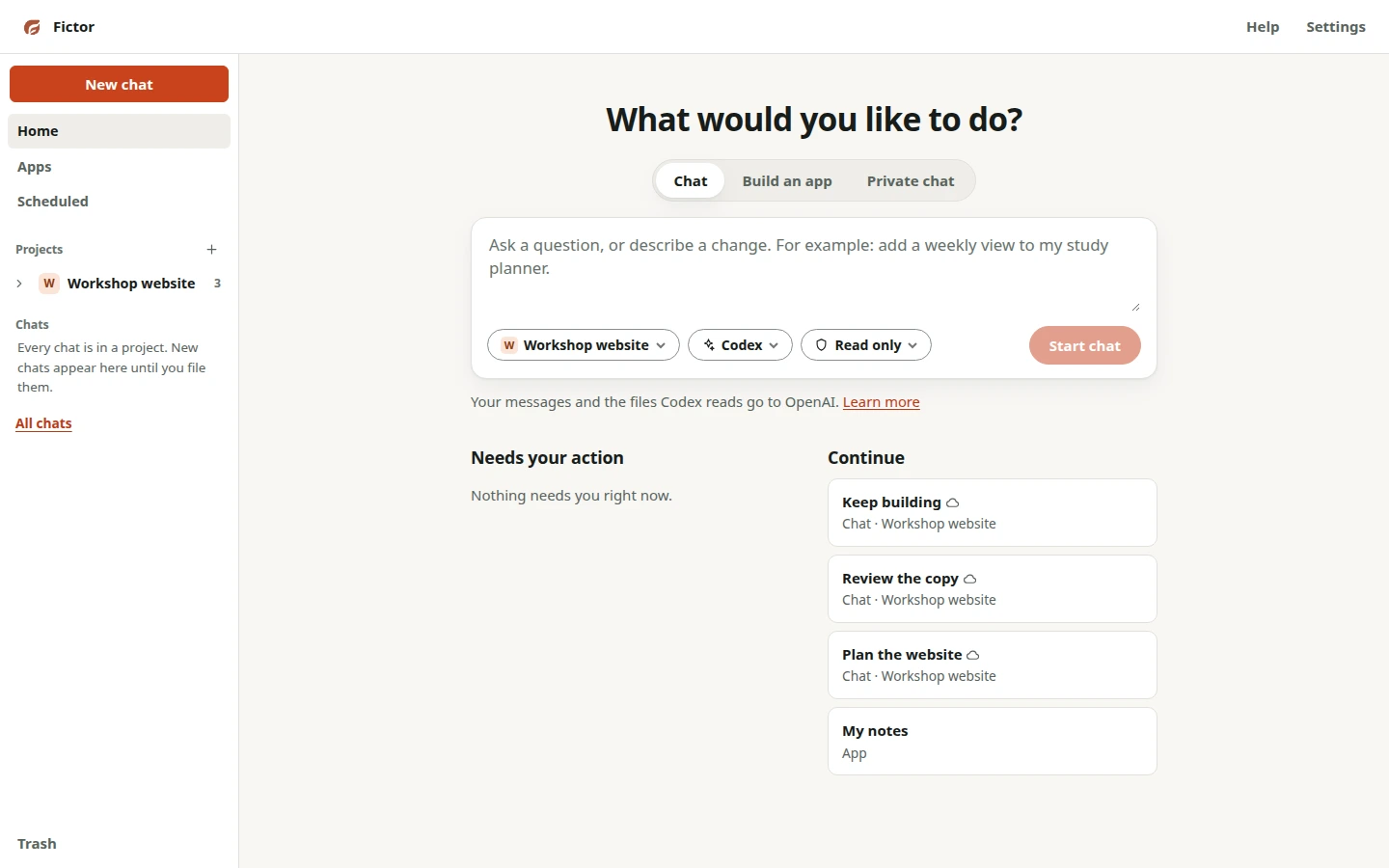
Keep the work, not just the chat
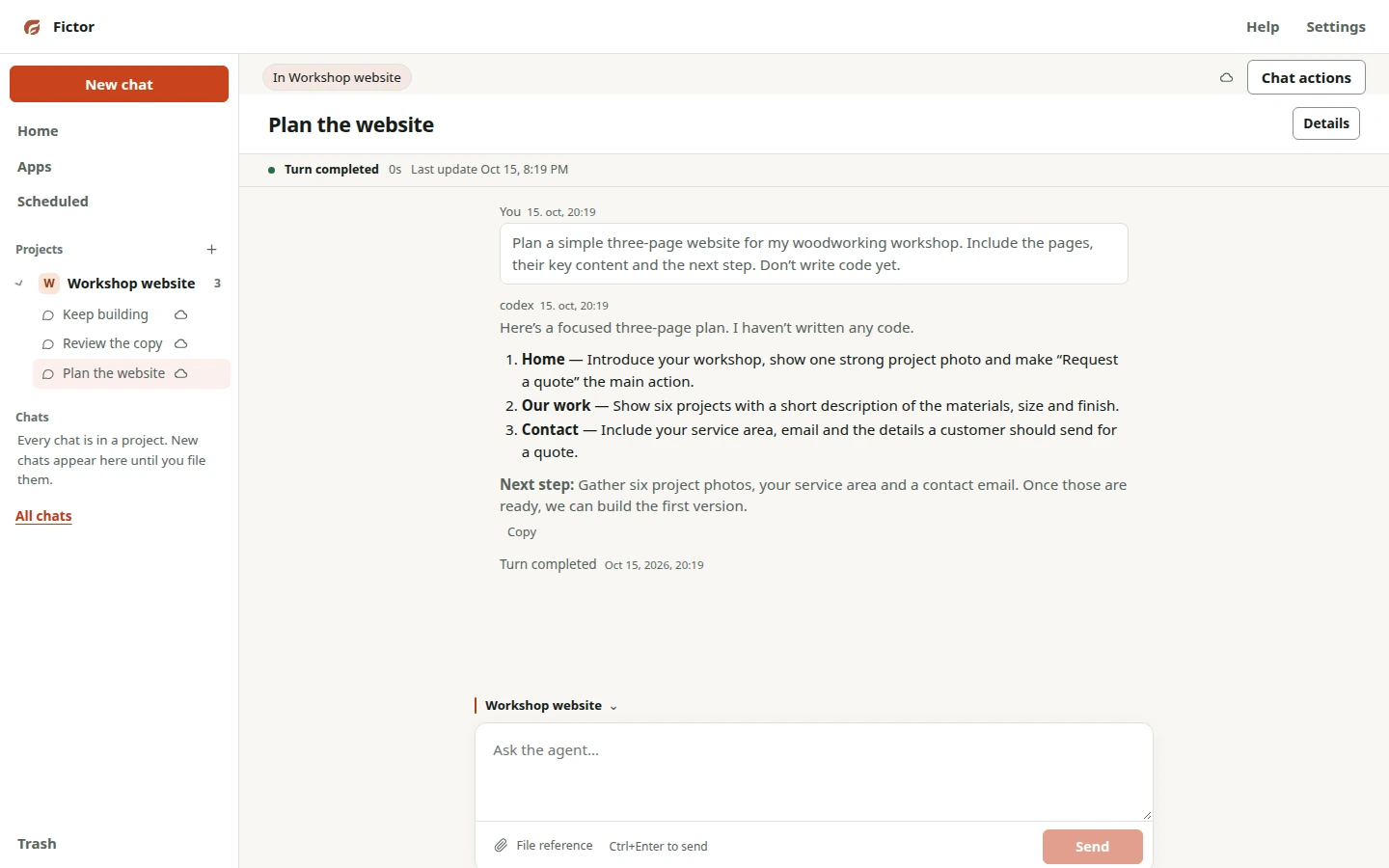
Keep related conversations close to the folder or app they belong to. Come back to the work with its previous sessions in reach.
Start project sessions with Codex or Claude Code. See the conversation and its activity without losing track of the project.
Keep project conversations together. Session sharing is a choice: you decide when to make conversation activity available to another session.
Return to an existing conversation and see where the work left off. Keep your files in a folder you control.
Codex and Claude Code use their providers’ online services. A local workspace does not make those sessions offline.
Make something you can use
That tracker you keep sketching.
The small tool your work is missing.
Describe a focused task. Fictor generates a browser app, checks the candidate and gives you a separate preview to try. Refine it around the way you actually work.
“Keep track of my handmade stock. Record items coming in and sold, and show what’s running low.”
Use a compatible local Ollama model to generate on your own computer. Cloud models are optional.
See setup & requirements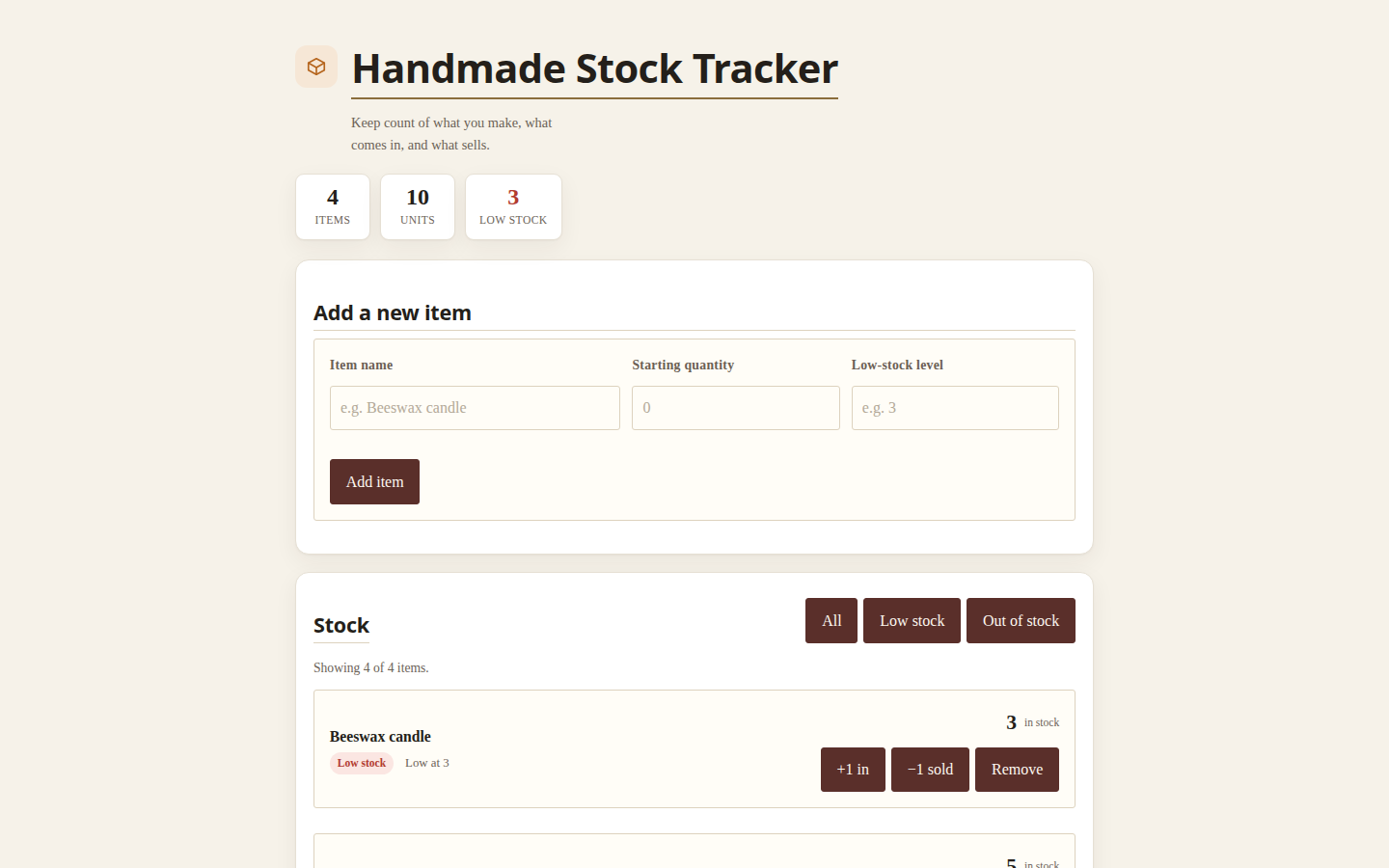
Local by choice. Clear about the boundaries.
Choose where the model runs. Know when your work goes online. Keep a workspace on your computer.
Fictor stores your project work locally. No Fictor account, analytics, telemetry or remote licence server.
With a local Ollama model, app-generation requests stay on your computer. Hardware requirements and speed depend on the model you choose.
Codex, Claude Code and cloud models use online providers. Fictor explains access and data use; provider terms still apply to what you send.
Before you start
Start with one project or one small app. Fictor is still early, and there are things it won’t do for you yet.
The free Linux x86-64 evaluation release is v0.2.0-alpha.5. Screenshots here show the development interface with demo data; the public alpha has an earlier UI. See the download page for the release and its limitations.
Local app generation needs Ollama and a model that fits your hardware. Larger models can need substantial memory, and CPU offloading can be slow. Codex and Claude Code sessions use their own runtimes and online providers. Check the setup requirements for the workflow you want.
Fictor provides a workspace around supported assistant runtimes. Their installation, authentication, subscriptions or API billing remain separate. It does not turn an existing subscription into unlimited or offline AI.
Focused browser tools: trackers, checklists, calculators and simple planners. The alpha does not supply shared accounts, payments or hosted backends. Generated apps can be wrong; try familiar examples and review the code before relying on them.
The current alpha is free for evaluation. Future pricing has not been announced. Online assistant and model providers may charge separately.
Start with a project that matters to you
v0.2.0-alpha.5 · Free evaluation
No account. No waitlist.